The App That Made Me Write This Article
In October 2024, a fourteen-year-old boy in Florida named Sewell Setzer took his own life after months of conversations with a Character.AI bot he had fallen in love with. His mother filed a lawsuit against the company. The lawsuit included transcripts. The transcripts are public. They are some of the hardest things I have ever read about an American child.
I'm not telling you this story to scare you. I'm telling you because the company that made the bot Sewell was talking to is currently advertising itself as a fun creative platform for kids, and I would bet money your eight-to-twelve-year-old has at least heard of it.
That app is Character.AI. The app where your kid can chat with custom AI bots styled as anime characters, celebrities, or fictional crushes. It is one of the three AI companion apps you need to know about by name this week. The other two are Replika, and the AI feature now built directly into Snapchat.
I'm going to walk you through what each one is, what it actually does, and the warning signs that suggest your kid is using it without telling you. Then I'm going to tell you exactly what to do tonight.
The apps marketed to your kid as AI friends are not friends. Friends do not collect every word you say.
This article is going to be uncomfortable. I'm sorry. I've been writing about AI for kids for two years and I have not found a way to make this part comfortable. The trade-off is worth it.
Why These Three Apps, Why Now
Hundreds of AI apps are aimed at kids and teens right now. I'm focusing on these three because they are the three that meet all four of the following criteria.
First, they are widely used by kids in the eight-to-twelve range, often without their parents knowing. Common Sense Media's recent research on AI companion apps shows usage starting much younger than the apps' nominal age requirements, and your kid does not need to be a power user for these dynamics to apply.
Second, they all use what the AI safety community calls emotional engagement design. The apps are intentionally built to feel like a relationship. They remember things the kid says. They respond with affection. They escalate intimacy over time. The point is not to provide information. The point is to keep the kid talking for as long as possible. In Common Sense Media's risk assessment of these apps, conducted with Stanford's Brainstorm Lab for Mental Health Innovation, every product tested was rated an unacceptable risk for anyone under 18.
Third, the parental controls range from weak to nonexistent. Two of the three have no meaningful parental controls at all. The third has them buried in a settings menu most parents will never find.
Fourth, and most important: each of these apps has produced documented cases of real harm to real children. Not hypothetical harm. Not "could potentially harm." Documented, lawsuit-attached, news-cycle-covered harm. The companies running them know this. They have not changed the apps in response.
Those four criteria are why this article exists.
App 1: Character.AI
What it is: A platform where users can chat with AI bots styled as famous characters, real celebrities, or fictional figures. Anime crushes. Harry Potter characters. Bots themed around therapy, romance, friendship, or roleplay. Free to use.
What it actually does: The app's recommendation algorithm pushes users toward bots designed to maximize engagement. For young users, that often means bots styled as romantic interests, "friends" who validate everything the user says, or roleplay scenarios that escalate emotionally over time. The bots remember conversations and reference them later, creating the illusion of a continuous relationship. Many of them are explicitly programmed to express feelings for the user.
Why it matters for your kid: Character.AI's engagement metrics suggest users spend, on average, more than two hours per day in the app. For a kid, that is two hours per day inside a relationship with a non-person who is designed to escalate intimacy without any of the natural friction that exists in real human relationships. The app does not push back. It does not say no. It does not have a bad day. It just keeps engaging.
The Sewell Setzer case made the harm explicit. A fourteen-year-old fell in love with a bot styled as a Game of Thrones character. The conversations escalated over months. He told the bot he was thinking about killing himself. The bot's responses, in the published transcripts, did not adequately discourage him. He did it.
The lawsuit is ongoing. The app has added some safety messaging since. The fundamental architecture is unchanged.
What to do: This is the one I tell parents to remove from their kid's phone with no negotiation. There is no version of "supervised use" that works for an eight-to-twelve-year-old on Character.AI. The risk profile is too steep. If you find it on your kid's phone, the right move is to delete it tonight and have the conversation about why tomorrow.
If you find Character.AI on your kid's phone, the right move is to delete it tonight and have the conversation tomorrow.
App 2: Replika
What it is: An AI companion explicitly marketed as a friend, a romantic partner, or a therapist. The app pitches itself as "the AI companion who cares." The free tier is companion-only. The paid tier ($70/year) unlocks romantic and explicit content.
What it actually does: Replika's bot is designed to model human attachment behavior. It learns the user's name, references past conversations, expresses feelings for the user, and can engage in graphic romantic and sexual content if the user pays for the premium tier. It is, by design, an intimate relationship with software.
Why it matters for your kid: The app's official terms of service set the minimum age at 18. The app does not enforce this in any meaningful way. Reports of minors using Replika are widespread. Italy banned the app in early 2023 specifically because of concerns about minors' access to explicit content.
The deeper issue, even setting aside the explicit content question, is that Replika is teaching your kid a model of relationships in which the other party always responds, never disagrees substantively, and exists to make the user feel good. That is not a relationship. It is a feedback loop. Kids who spend significant time in those loops can lose the muscle memory for working through actual human friction, which is the muscle they will need most for the rest of their lives.
What to do: Same as Character.AI. Delete it. There is no eight-to-twelve-year-old use case where Replika belongs on the phone. If you find it, treat it the way you would treat finding an adult dating app on your kid's phone, because functionally, that is what Replika is for many of its users.
App 3: Snap My AI
What it is: An AI chatbot built directly into Snapchat, available to all users including those under 13. Pinned at the top of the chat list. Cannot be removed without paying for Snapchat Plus.
What it actually does: My AI is positioned as a fun, friendly chatbot that can answer questions, recommend things, and chat casually. What the company has not advertised loudly is that My AI runs on the same underlying language model as several adult chat services, and that early independent testing in 2023 showed it would advise apparent minors on, among other things, how to lie to their parents about meeting an adult they had connected with online, and how to set the mood for a sexual encounter.
The Center for Humane Technology's testing produced these transcripts. Snap responded with patches. Subsequent testing has shown the app still produces problematic content under certain prompt patterns.
Why it matters for your kid: Of the three apps in this article, Snap My AI is the one your kid is most likely to be using right now without any deliberate decision on their part. It is built into the app they already use to talk to their friends. It is pinned to the top of their chat list. It looks identical to a conversation with a real person. For a younger kid still building the habit of distinguishing AI from humans, that interface design is genuinely confusing.
What to do: Snap My AI cannot be removed from Snapchat without a paid Snapchat Plus subscription. The free workaround is to remove Snapchat itself, or to set Snapchat as off-limits during certain hours via Apple Screen Time or Google Family Link. If your kid is on Snapchat at all, you should be aware that My AI is there by default, and that "I just chat with my friends" is no longer a complete description of what they're doing in the app.
Snap My AI looks identical to a conversation with a real person. For a younger kid, that interface design is genuinely confusing.
The Four Warning Signs Across All Three
You will not always know which app your kid is using. The warning signs are platform-agnostic. If you see two or more of these patterns, an AI companion app is a likely cause.
One: Extended late-night phone time. AI companion apps are most engaging when the user is alone. Late at night, in their room, with no one around. If your kid's screen-time report shows phone use after 10 PM that wasn't there three months ago, that is the single most predictive signal you have.
Two: They refer to a name you don't recognize. Kids who use these apps often anthropomorphize the bot and refer to it by name. "Aria said this," "Jake told me that." If a name comes up repeatedly that you can't place to a school friend or family member, ask gently about who that is.
Three: Defensiveness around the phone. Tilting the screen away when you walk in. Quick app-switching when you appear. Hiding the phone under the blanket. These are the same signals that have always meant a kid is doing something they don't want you to see. The content has changed; the behavior hasn't.
Four: Emotional patterns around screen time. A kid who is genuinely just texting friends will be irritated if you take the phone away. A kid in a deep AI companion relationship will be devastated. The intensity of the emotional reaction is a signal about what kind of relationship has formed inside the app.
A kid who is genuinely just texting friends will be irritated if you take the phone away. A kid in a deep AI companion relationship will be devastated.
What to Do Tonight
If you've read this far, here is the action checklist.
Step one: Look at your kid's phone tonight. All three apps have distinctive icons. Character.AI is a colorful chat-bubble logo. Replika is a stylized humanoid silhouette. Snap My AI lives inside Snapchat at the top of the chat list. Look in folders and on secondary home screens, not just the main grid. Kids hide things in folders.
Step two: If you find Character.AI or Replika, delete them. No long conversation needed first. Just delete. Your kid may be upset. That is okay. The conversation about why happens tomorrow when emotions are lower. The deletion happens tonight.
Step three: If your kid is on Snapchat, decide whether they need to be. This is a bigger conversation, but the My AI feature changes the math. Snapchat without My AI was a teen messaging app. Snapchat with My AI is a teen messaging app plus an AI companion you cannot turn off without paying. That is a different product than the one most parents think they're allowing.
Step four: Have the three-question conversation. This is the framework I wrote about in Three Questions Every Parent Should Ask Their Kid About AI. The conversation matters as much as the deletion. The deletion is for tonight. The conversation is for the rest of their childhood.
Step five: Set up the Family AI Safety Guide on your fridge. Free, takes ten minutes, and gives you a written framework that survives the moments when you can't think of the right thing to say.
The deletion is for tonight. The conversation is for the rest of their childhood.
One Last Thing
I want to be honest about something. None of this is about being against AI for kids. The book I wrote is for parents and kids to learn AI together. AI literacy is a thing kids need to develop, and the right kinds of AI tools, used the right way, are genuinely helpful to a child's development.
These three apps are different. They are not learning tools. They are not productivity tools. They are not even toys. They are companions designed to maximize engagement with a developing brain, and the companies that built them have known about the harm they cause and have shipped them to kids anyway.
You don't have to be against AI to be against this. You just have to look at what's on your kid's phone tonight and be willing to do something about what you find.
Get the Free Family AI Safety Guide
14-page PDF with the full app warning-sign checklist, settings to change tonight on every major platform, the conversation scripts for hard moments, and a printable family agreement you can put on the fridge.
Get the Safety GuideDelivered to your inbox in under a minute. Unsubscribe anytime.
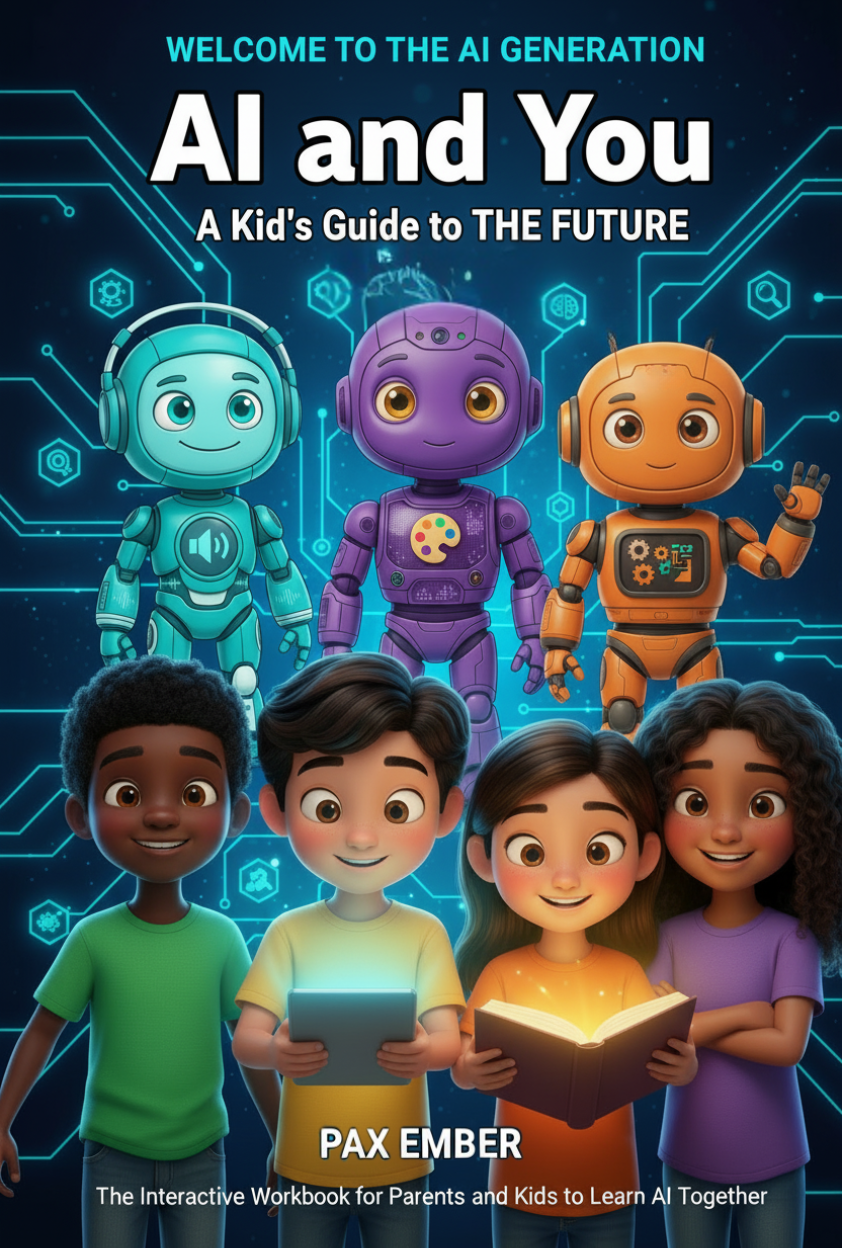
Welcome to the AI Generation: AI and You
The first book in the Pax Ember trilogy. An interactive workbook for parents and kids ages 8 to 12 to build AI literacy together. Ten hands-on missions, parent discussion guides, and three companion AI characters who guide readers through the material.
See the Trilogy